MB
data
mins
texts
a month

| Pros | Cons |
| High speeds | No screen |
| Decent battery life | No wall plug included |
| Affordably priced | Fewer connections than some rivals |
The Three 5G MiFi stands out by being exceptionally good value, especially compared to rival devices – but with high speeds and decent battery life, its specs don’t disappoint either.


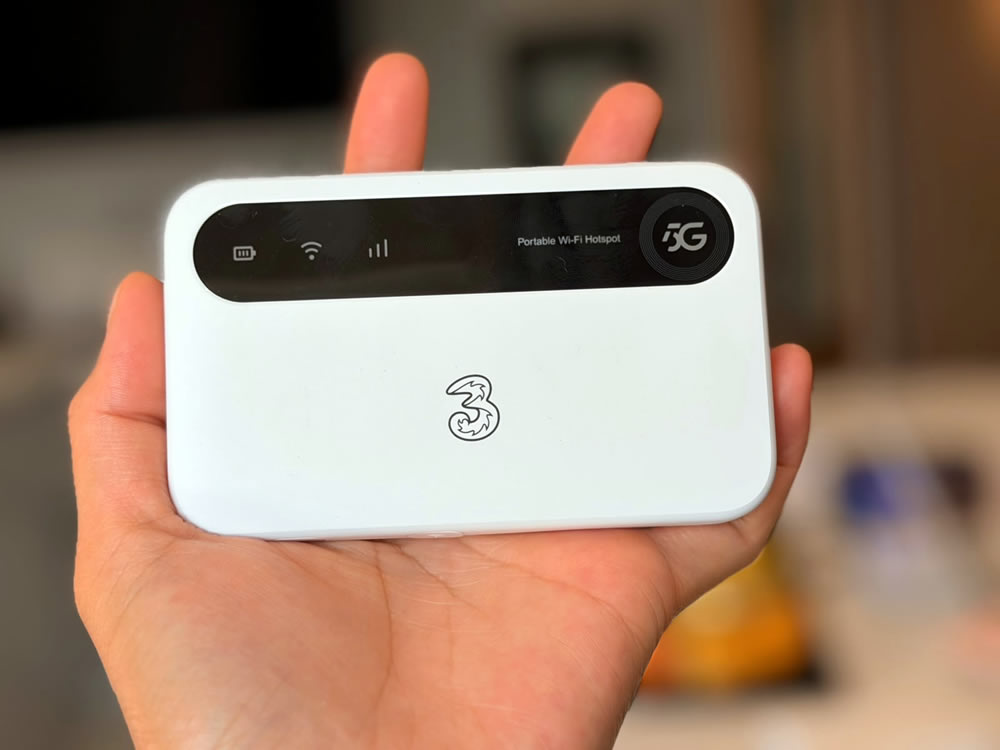
The Three 5G MiFi (which is a rebranded ZTE U50) is a sleek and speedy mobile broadband router, so it’s battery-powered and can get any Wi-Fi enabled gadget connected to the internet.
It can get a lot of them online too, with up to 32 simultaneous connections, and it’s billed as being very fast.
But how does the Three 5G MiFi perform in reality? And what about its remaining specs and the all-important price? For answers to those questions, read on.
| Price | From £22 a month |
|---|---|
| Contract lengths | 1-month or 24-month |
| Device type | Mobile broadband |
| Battery Life | Up to 9 hours usage (350 hours standby) |
| Maximum connected devices | 32 devices at once |
| Download speeds | Up to 1Gbps |
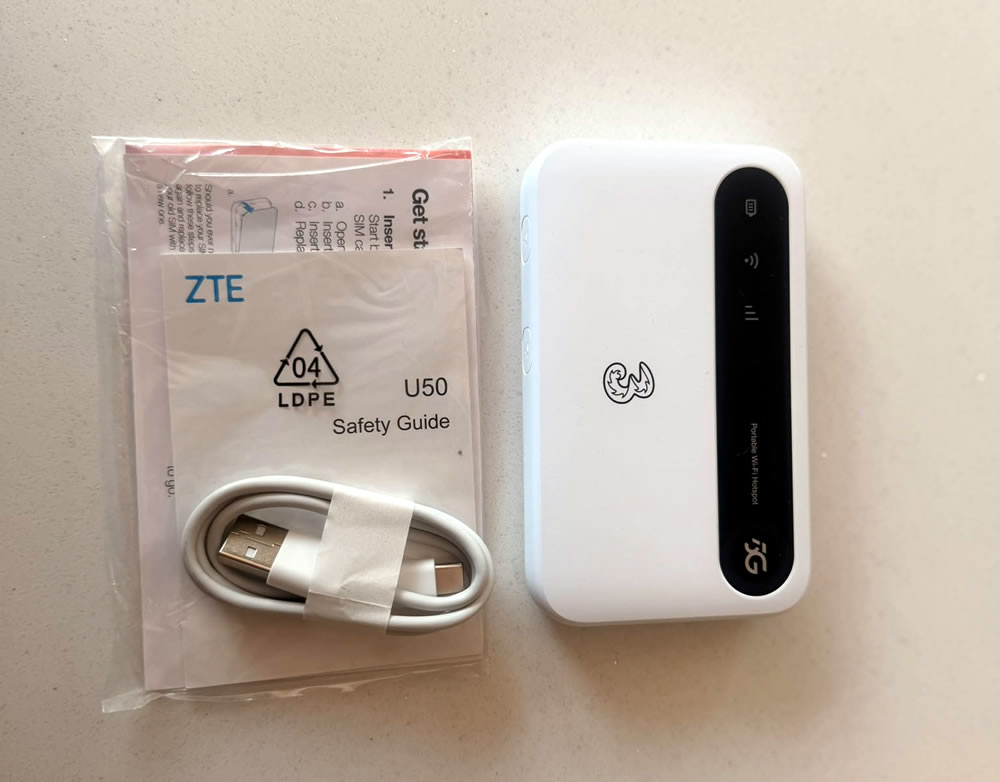
There are a few things in the box with the Three 5G MiFi, though it’s largely what you’d expect. As well as the mobile broadband device itself, you also get its battery, a SIM card for whatever Three plan you’ve signed up to, a quick start guide, a product safety guide, and a USB-C to USB-A charging cable.
.jpg)
The Three 5G MiFi is a white rectangle with curved corners and a black section on the front, housing indicator lights for the battery level, the Wi-Fi connection status, and mobile connectivity.
You’ll find antenna ports on the bottom edge, a power key and WPS button on the top, and the USB-C charging port on the right side.
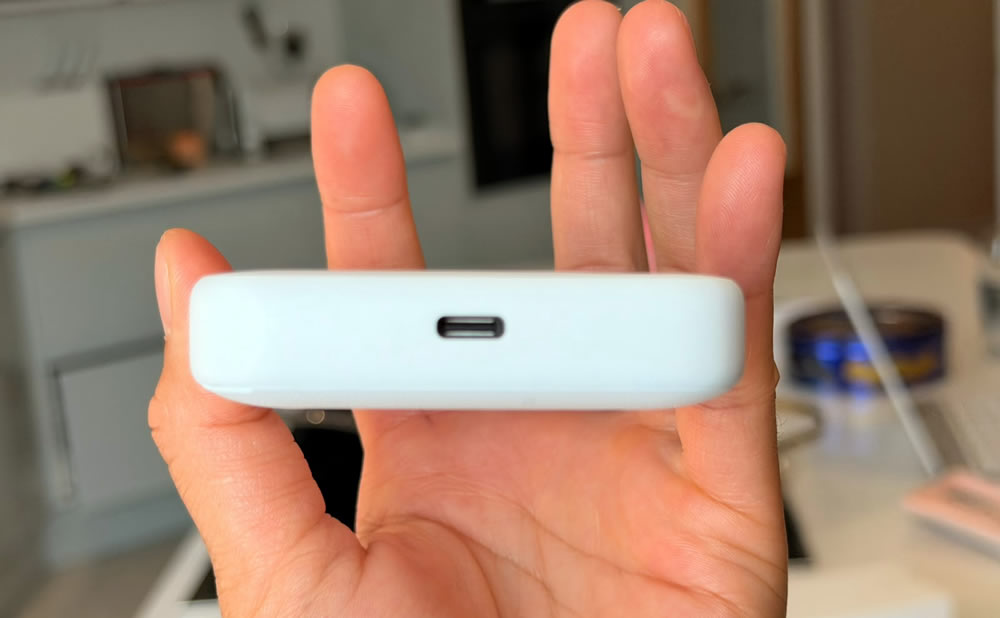
Coming in at 118 x 72 x 19.5mm and 163g it’s fairly compact and light, though no more so than you’d expect from this type of device. Still, that means it can easily fit in a pocket or small bag, so it’s no hassle to carry around with you.
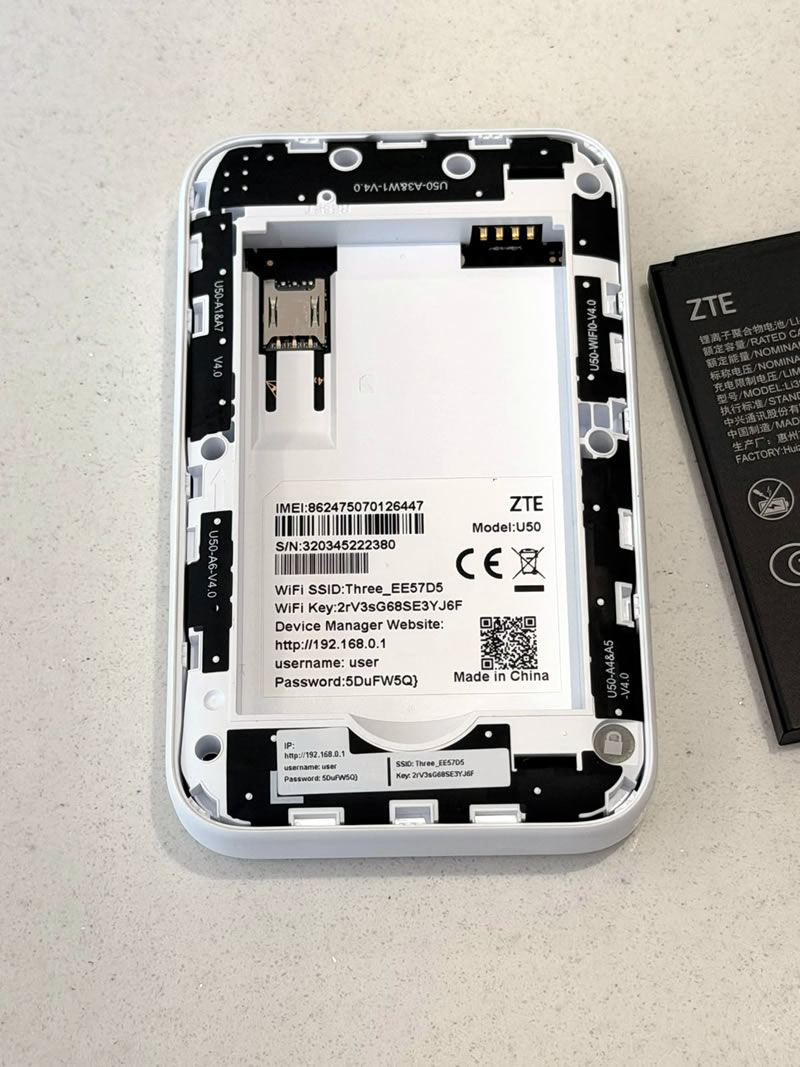
The Three 5G MiFi is quick and easy to get up and running. Here’s how to do it:
Step 1: remove the back cover of the device and insert the SIM card into its slot. If Three has sent you a trio SIM (with all three possible sizes), it’s the smallest of these – the nano SIM – that you want.
Step 2: if the default network and password are printed inside the device, make a note of them and then place the battery into its slot, on top of the SIM card, and then clip the back cover back on.
Step 3: press and hold the power button for several seconds to turn the Three 5G MiFi on. If this doesn’t work, you may need to charge it first.
Step 4: enter the default network name and password (printed either in the battery compartment or in the included quick start guide) into the Wi-Fi screen of the device you want to get online. Or, for a wired connection, you can use a USB-C cable.
Step 5: you should be online now, but if you’d like to change the default password or other settings, you can do this using the URL and password printed either underneath the back cover or in the quick start guide.
The Three 5G MiFi theoretically supports download speeds of up to 1Gbps – in fact, the hardware is potentially capable of even more, but that’s what Three lists as the current maximum on its network.
Of course, unless you’re standing right next to a mast, you’ll probably get lower speeds than that, but you can realistically expect average download speeds of over 200Mbps if there’s decent 5G coverage in the area.
Having said that, Three’s current plans for this device top out at a mere 100Mbps, which is slightly less impressive, though should still be plenty for most users.
For uploads, speeds top out at a rather lower 80Mbps, but this should still be plenty for most use cases – though again, real world speeds will typically be quite a lot lower. Think more in the region of 15-20Mbps than 80Mbps.
Three doesn’t list a Wi-Fi range for this, but depending on how many obstacles you’re dealing with, it will likely be between around 10 and 20 metres, which should be plenty if you’re just trying to bring Wi-Fi to a single room or vehicle – though if you intend this to blanket a whole home in Wi-Fi it might struggle a little more.
It can get up to 32 devices connected to the internet at once, which puts it in line with a lot of other 5G mobile broadband routers, and it supports both 2.4GHz and 5GHz Wi-Fi.
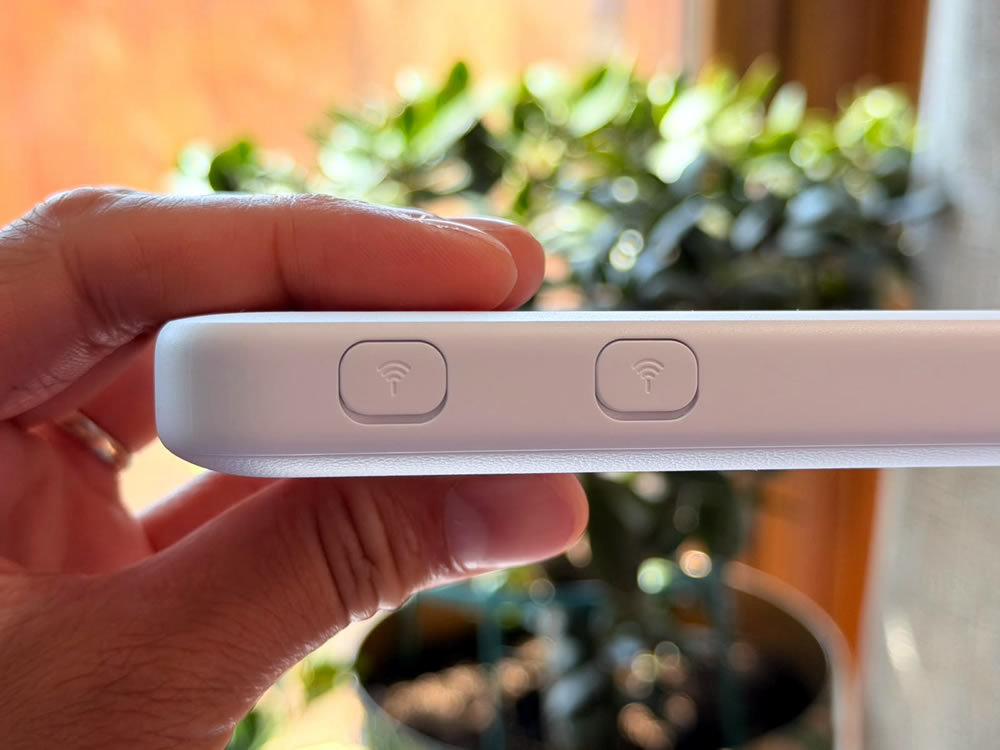
The Three 5G MiFi also has two antenna ports, so if you attach antennas it’s capable of picking up more distant mobile signals than it would otherwise be able to – or than your phone is likely to.
The Three 5G MiFi has a 4,500mAh battery, which is good for up to nine hours of active use or around 350 hours of standby time.
So this is a device that should be able to keep you connected for a full work day, and its battery is far higher capacity than the 1,500mAh one in the Three 4G+ MiFi.
It can be charged via its USB-C port, but note that while a cable comes with it, a plug doesn’t – so hopefully you’ve already got one that you can use with this.
There are only two plans that you can get the Three 5G MiFi on at the time of writing, and they both come with unlimited data.
The difference is simply the duration, with Three offering both a 24-month plan for £22 per month with no upfront cost, and a one-month rolling plan for £35 per month and £249 upfront. So the latter has no commitment, but involves a far higher upfront and monthly cost.
In both cases, these are highly competitive prices though, as rival networks tend to charge more.
And you can also roam abroad with this, though at the time of writing no plans come with that included, so it will cost a bit extra.
The Three 5G MiFi is a compact, capable, and speedy 5G mobile broadband router.
While it doesn’t necessarily go above and beyond in any area, it easily matches up to most rivals, while undercutting them on price.
From its solid battery life to its 32 simultaneous connections, its handy antenna ports, its compact design and of course its high speeds, the Three 5G MiFi has everything you should need in a mobile broadband device.
5G & 4G Home Broadband
5G and 4G home broadband aren’t really an alternative as they’re aimed at different use cases – but if you want to bring internet to your whole home, and particularly if you want the connection to be long-term and ongoing, then 5G or 4G home broadband would be a better fit.
These services are mains-powered, so there’s no battery to charge – but they’re also less portable. On Three, there’s both Three 5G home broadband and Three 4G home broadband – though we’d only consider the latter if Three doesn’t offer 5G where you are.
The network also has a Three 5G Outdoor Hub, which is essentially a 5G home broadband service but with some of the hardware placed outside, where it has a better chance of latching on to a signal – so it’s ideal in places where signals are weak.
Mobile WiFi
The Three 5G MiFi is a mobile Wi-Fi device, but it’s not the only one. Three itself for example also sells the Three 4G+ MiFi, which is a similar device but tops out at 4G speeds. While this is slightly cheaper, we’d generally recommend the 5G model over it these days, as the Three 4G+ MiFi is much slower.
If you’re open to a different network then you could also consider the likes of the 5G WiFi on EE, the 5G Mobile Hotspot on Vodafone, or the Netgear Nighthawk M7 Pro on O2.
Of these, the Vodafone device is actually the same as Three’s, just under a different name, and the EE option is similar, albeit with support for over 100 connections.
The Netgear Nighthawk M7 Pro is perhaps a bit more interesting for having a small touchscreen display, but for unlimited data these all cost more than the Three 5G MiFi, and in some cases much more.
Dongles
Finally, there’s dongles, which are basically USB sticks that you plug in to a device to connect it to the internet.
These are a lot more limited than the mobile Wi-Fi devices above, since they generally only get one device online at a time, and typically only work with Windows and Mac – so they’re no good for tablets and consoles.
However, they are even more compact and don’t depend on a battery, and in some cases they can broadcast a Wi-Fi network too once plugged in.
Your options here include the TCL Dongle 4G on O2 and the Vodafone 4G Mobile Dongle. They both top out at 4G, but they’re also fairly affordable. Three doesn’t sell any dongles itself though, and if you want a 5G one you’ll have to buy it outright from somewhere and pair it with a SIM card.